Biometric.Vision
Bring identity verification into your product
Biometric.Vision brings document recognition, biometrics, government data sources, and AML screening into a single session. Configure your verification flow, connect a ready-made interface, and retrieve results on your backend.
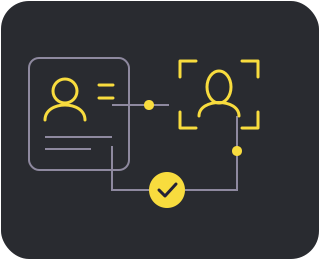
From workflow to result
-
Workflow
Configure the technologies and their order in the dashboard.
-
Session
Create a separate session on your backend for each user attempt.
-
Checks
The user completes the technologies in the selected Workflow.
-
Result
Retrieve results through the API on your backend and make a decision.
For every integration method, keep the API KEY on your backend. An interface completion event is a signal to retrieve the result, not a basis for a business decision.
Choose an integration method
Remote Workflow
Redirect users to the ready-made verification interface on Biometric.Vision. Choose this when users can leave your page.
Your backend creates the session and retrieves the result through the API.
Widget Workflow
A JavaScript widget with a ready-made interface inside your web page. Choose this for verification embedded in your website.
Requires HTTPS and an explicitly sized container. Document Recognition V2 is not supported.
WebView Workflow
A ready-made interface inside your mobile app. Choose this to run verification in an embedded WebView.
The app manages camera permissions and navigation; web_view=true is required.
Technology catalog
For onboarding, account opening, lending, sign-in and account recovery, document signing, and transaction confirmation. Questionnaires support KYC and risk assessment; AML also supports periodic rescreening and transaction monitoring. Only technologies enabled for your organization are available in production.
Biometrics and document recognition
Liveness
Quickly verifies that a real person, rather than a spoof, is in front of the camera.
Protects against: photo and video replays, 3D and silicone masks, deepfakes, face swaps, and video-stream injection.
Face2Face
Verifies that a selfie and a document photo belong to the same person.
Protects against: identity substitution and the use of someone else's document. Combined with Liveness, it prevents another person's photo from being used in place of a live user.
Document Recognition
Quickly turns a document photo into structured data while verifying its authenticity.
Detects: photo substitution, retouching and data tampering, screen or paper copies, expired documents, and invalid MRZ data.
Digital documents and data sources
E-Document
Retrieves official digital documents directly from eGov with the user's consent, including identity cards, passports, driving licences, certificates, diplomas, and a child's documents with parental confirmation.
Formats: JSON · PDF · image
Availability: Kazakhstan only
MX-Document
Integrates with Nubarium to recognize and verify Mexican documents. It extracts document details, biographical data, an address, and a photo, validates QR and MRZ data, and compares faces.
Availability: Mexico only
Tunduk
Retrieves and verifies official citizen data through Kyrgyzstan's government databases.
Availability: Kyrgyzstan only
Additional checks
IP Check
Analyzes a customer's IP address, detects VPN use, and collects available technical and geographic signals.
Result: an IP risk score and final verdict.
OTP
Sends a temporary one-time code to a phone number or email address to confirm that the user can access it.
Questionnaire
A configurable form for collecting customer information and answers within a single verification flow.
AML
Automatically screens customers against sanctions lists, politically exposed persons (PEP) lists, terrorist databases, and other watchlists.
Detects: compliance and reputational risks before service begins.
Kazakhstan government databases
Availability: Kazakhstan only.
PersonPhotoService (PPS)
Retrieves a reference photo of a Kazakhstani citizen from a government database.
GBDFL
Provides verified information about an individual by IIN, including their full name, date of birth, citizenship, place of birth, life status, identity card or passport details, and registered address. It can also validate identity documents.
Customer consent: confirmed via an SMS from 1414.
Address Service
Retrieves a user's official registered address from eGov.
Quick links
Configure backend notifications for session progress and completion.
Look up failure_reason categories and details to handle unsuccessful checks.
Configure Workflows and run a one-time smoke test with an AI coding agent during integration. Use the REST API in production.